

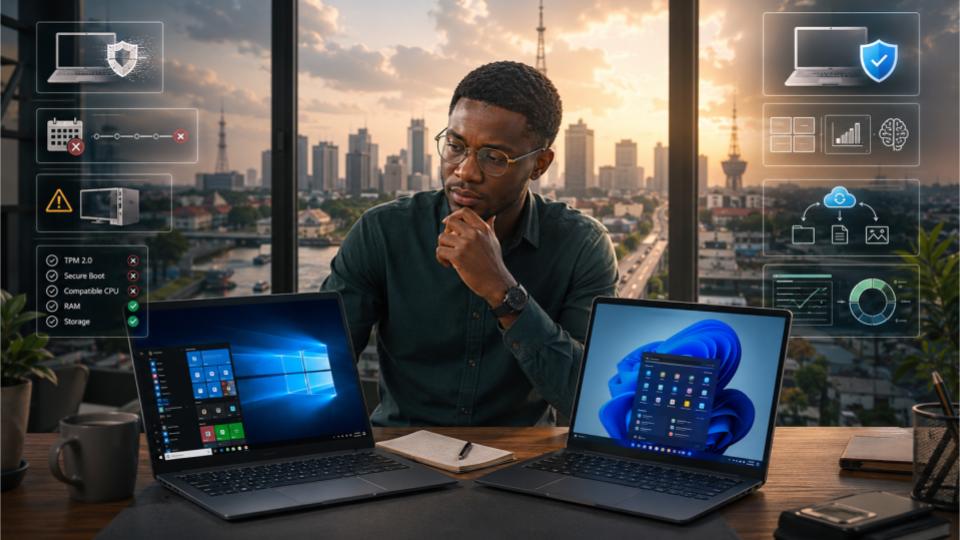
Microsoft declared Windows 10 officially dead in October 2025. Six months later, it is still the most widely used operating system on the planet. The story of why is more interesting and more consequential than most people realise.
My neighbour in Gbagada knocked on my door last November, phone in hand, looking stressed in the way that only technology problems can make an otherwise calm person look. Her laptop, a four-year-old HP Pavilion that she used for her freelance accounting work, had started showing a persistent notification demanding that she upgrade to Windows 11. She had ignored it for months. Then one day it started pushing harder, interrupting her work with full-screen prompts. She finally clicked the upgrade button. Forty minutes later, her laptop was showing an error message. The upgrade had failed. The reason, buried in a technical message she had to Google to understand, was that her laptop did not have something called a TPM 2.0 chip. She did not know what that was. She did not particularly care. What she knew was that her accounting software, her client files, and the computer she depended on for her livelihood were all suddenly caught in a software transition she had not chosen and could not complete. She was back on Windows 10, which still worked perfectly, and she was furious.
That story is being replicated in homes and offices across Nigeria and around the world on a scale that should give pause to anyone who assumes that operating system upgrades are straightforward, inevitable, or universally welcomed. Windows 11 launched in October 2021. Windows 10 reached its official end of support on October 14, 2025. And yet in April 2026, data from Statcounter shows that Windows 10 still holds more than 60 percent of global desktop market share, compared to Windows 11’s approximately 33 percent. The supposedly dead operating system is running on more computers than its replacement. This is not an accident. It is the result of a specific, understandable, and in many ways very Nigerian set of reasons.
| Metric | Value | What It Means |
|---|---|---|
| Windows 10 Global Desktop Market Share | 61% | Windows 10 remained the world’s most widely used desktop operating system in Q1 2026. |
| Windows 11 Global Desktop Market Share | 33% | Around one-third of desktop users had upgraded to Windows 11 by Q1 2026. |
| Computers Incompatible with Windows 11 | 240M | An estimated 240 million PCs worldwide cannot officially upgrade to Windows 11 due to hardware requirements. |
| Windows 10 End-of-Life | Oct ’25 | Microsoft officially ended Windows 10 support in October 2025, after which regular security updates stopped. |
What Windows 11 Actually Requires and Why Millions of PCs Cannot Run It
The single biggest reason Windows 10 is still dominating in 2026 is hardware. Specifically, Windows 11’s hardware requirements are stricter than any previous version of Windows, and a staggering number of computers that run Windows 10 perfectly well simply do not qualify.
The requirement that has caused the most disruption is TPM 2.0, which stands for Trusted Platform Module version 2. This is a physical security chip embedded on the motherboard that Windows 11 uses for encryption and secure boot processes. The problem is that TPM 2.0 was not standard equipment on most computers manufactured before 2017, and even many computers made between 2017 and 2020 either do not have it or have it disabled in the BIOS by default.
// Windows 11 Compatibility Check — April 2026
Processor: Intel Core i5-7200U @ 2.50GHz ⚠ Borderline — Not in supported list
RAM: 8 GB ✓ Meets requirement (min 4 GB)
Storage: 256 GB SSD ✓ Meets requirement (min 64 GB)
TPM Version: 1.2 detected ✗ FAIL — TPM 2.0 required for Windows 11
Secure Boot: ⚠ Capable but currently disabled in BIOS
Display: 1366 x 768 ✗ FAIL — Minimum 720p required (1280×720)
RESULT: This PC cannot run Windows 11
// Laptop purchased 2019. Runs Windows 10 without any issues.
Beyond TPM 2.0, Windows 11 also requires a processor from a specific approved list. This has been one of the more controversial aspects of the rollout, because many perfectly capable processors from Intel’s 7th generation and AMD’s Ryzen 1000 series are excluded despite being more than capable of running a modern operating system smoothly. Add minimum RAM requirements, storage requirements, and a screen resolution minimum, and you end up with a compatibility threshold that excludes hundreds of millions of computers that are still in active daily use worldwide.
The Nigerian ContextIn Nigeria, where the typical working laptop is three to seven years old, purchased either as a new lower-mid-range device or as a refurbished unit from Alaba International Market in Lagos or Computer Village in Ikeja, the proportion of computers that fail Windows 11’s hardware requirements is significantly higher than in markets where newer hardware is more common. The cost of a Windows 11 compatible laptop in Nigeria in 2026 starts at approximately N250,000 for a basic new device, putting hardware upgrades out of reach for many users whose current laptops still work perfectly well for their daily needs.
The Windows 11 Interface Changes That Are Frustrating Long-Time Users
Hardware compatibility explains why many users cannot upgrade. But a significant number of users who can upgrade are choosing not to. And when you spend time with those users, a consistent set of complaints about Windows 11’s interface and user experience emerges.
The centred taskbar that most users moved back to the left
The most immediate and visible change in Windows 11 is the taskbar. Microsoft moved the Start button and taskbar icons to the centre of the screen by default, apparently inspired by macOS’s dock. For users who have spent years building muscle memory around clicking the bottom-left corner of their screen to open the Start menu, this change is genuinely disorienting. Windows 11 does allow users to move the taskbar icons back to the left, but it requires navigating to settings to do so, a step that many users either do not know about or find irritating to have to take at all.
But the taskbar changes go deeper than position. Windows 11 removed the ability to move the taskbar to the top, sides, or otherwise reposition it, something Windows 10 allowed. It also removed certain right-click taskbar options that advanced users relied on. For organisations with established workflows and users who are not technology enthusiasts, these changes represent friction without obvious compensating benefit.
The fundamental problem Microsoft created with Windows 11 is that they optimised for first impressions at the cost of the experience of existing power users. The interface looks cleaner to someone seeing it fresh, but it feels slower and more constrained to someone who knew every keyboard shortcut and right-click menu in Windows 10. Those are the people who resist the upgrade most strongly.
Tokunbo Adesanya
Senior Systems Administrator, Lagos, with 14 years of enterprise Windows deployment experience
The Start menu that nobody seems to love
Windows 11’s Start menu is another consistent point of user frustration. It replaced the customisable Live Tiles of Windows 10 with a grid of fixed-size pinned apps and a “Recommended” section that shows recently used files and installed apps. The problem is that the Recommended section is useful to some users and deeply annoying to others, particularly in shared environments or when it surfaces personal file names or browsing activity in a professional context. And unlike Windows 10, where the Start menu could be extensively customised in terms of size, layout, and content, Windows 11’s Start menu offers limited customisation options.
Windows 11 Performance: Real User Experiences vs Microsoft’s Claims
Microsoft’s marketing for Windows 11 emphasised improved performance, faster wake from sleep, better multitasking, and enhanced gaming capabilities through features like DirectStorage and Auto HDR. In controlled benchmarks on new hardware, Windows 11 does show measurable improvements in specific scenarios. The experience on older hardware that technically meets the minimum requirements is considerably less impressive.
A Lagos-based digital marketing agency with twelve employees upgraded six workstations to Windows 11 in December 2025, following the October end-of-life deadline for Windows 10. All six machines met Windows 11’s minimum hardware requirements. The machines were relatively recent: four Dell Latitude laptops from 2021 and two HP desktops from 2022.
Within six weeks of upgrading, four of the six machines had been downgraded back to Windows 10. The reasons were consistent: the Adobe Creative Cloud applications, particularly Premiere Pro and After Effects used by the agency’s video team, ran noticeably slower on Windows 11 than they had on Windows 10 on the same hardware. One machine experienced repeated crashes when running multiple browser tabs alongside a video export. The agency’s IT support contractor attributed the issues to driver compatibility problems that were expected to be resolved in subsequent Windows 11 updates but had not been by the time of our conversation in February 2026.
The Privacy and Telemetry Concerns That Are Pushing Some Users Away
A quieter but genuine stream of Windows 11 resistance comes from privacy-conscious users who object to the level of telemetry and data collection that Windows 11 incorporates, and particularly to Microsoft’s integration of its Copilot AI assistant and advertising systems into the operating system interface.
Windows 11 requires a Microsoft account for the initial setup on Home edition, which ties the operating system more closely to Microsoft’s cloud ecosystem than Windows 10 did. The operating system’s settings menus include advertising identifiers and personalisation settings that require active opt-out rather than opt-in. And the Copilot AI assistant, while technically optional, is promoted aggressively within the interface and collects interaction data when used.
For individual users, the Microsoft account requirement is manageable. For organisations that manage hundreds of devices, it creates administrative overhead and raises data governance questions. When you are responsible for ensuring that employee activity on company computers does not flow to a third-party cloud by default, Windows 11’s account requirements create compliance questions that Windows 10 simply did not.
Dr. Chinwe Obi
—Cybersecurity Consultant, Abuja. Speaking at the 2025 Nigeria Cyber Summit
Windows 10 vs Windows 11: A Direct Feature-by-Feature Comparison in 2026
| Feature or Factor | Windows 10 | Windows 11 |
|---|---|---|
| Security Updates | End of life Oct 2025. No free security patches. | Active support until at least 2031. Regular patches. |
| Hardware Compatibility | Runs on most PCs from 2010 onwards including budget Nigerian laptops. | Requires TPM 2.0, supported CPU list. Many older PCs excluded. |
| Performance on Older Hardware | Efficient and stable on hardware from 2015 to 2020. | Variable. Can feel heavier on borderline-compatible machines. |
| Interface Customisation | Extensive. Taskbar position, Start menu size, Live Tiles all customisable. | More restricted. Centred taskbar, limited Start menu options. |
| Gaming Performance | Good on compatible hardware. | Better on new hardware with DirectStorage and Auto HDR support. |
| Microsoft Office Compatibility | Full compatibility with Microsoft 365 and legacy Office versions. | Full compatibility. No meaningful difference for Office users. |
| Virtual Desktops | Available but basic in functionality. | Significantly improved. Different wallpapers per desktop, better management. |
| Snap Layouts | Basic snap functionality only. | Advanced Snap Layouts for organising multiple windows efficiently. |
| Microsoft Account Requirement | Optional on all editions. | Required for Home edition setup. Enterprise editions allow local account. |
| Cost to Continue Using Safely | Free if already licensed but requires paid ESU for security updates from 2026. | Free upgrade if hardware qualifies. Active security support included. |
What Should Nigerian Windows 10 Users Actually Do in 2026?
The practical question that most Nigerian Windows 10 users need answered is not an abstract one about market share or Microsoft’s corporate strategy. It is this: my computer is running Windows 10. What should I do right now? The honest answer depends entirely on your specific situation.
| Scenario | Stay on Windows 10 | Upgrade to Windows 11 |
|---|---|---|
| Hardware Compatibility | Your PC does not meet Windows 11 hardware requirements. | Your PC passes the Windows 11 compatibility check. |
| Budget | You cannot afford a new Windows 11-compatible device right now. | The upgrade is available to you for free. |
| Software Compatibility | Your critical software has confirmed Windows 10 compatibility but uncertain Windows 11 support. | You want access to new features like improved Snap Layouts and virtual desktops. |
| Current Usage | You are using your device for tasks that work perfectly on Windows 10. | You work with sensitive data requiring up-to-date security patches. |
| Device Replacement Plans | You plan to replace your device within 12 months anyway. | You plan to keep your current device for more than 18 months. |
| Security & Organisation | You have strong antivirus and are behind a good firewall. | Your organisation is moving to Windows 11 as a managed deployment. |
The Windows 10 Security Situation in 2026Microsoft ended free security updates for Windows 10 in October 2025. However, the company is offering paid Extended Security Updates (ESU) at around $30 per device per year for individual users and varying rates for enterprises. Several major antivirus providers have also announced extended protection measures specifically for Windows 10 users who cannot upgrade. Running Windows 10 in 2026 is not immediately catastrophic, but the security risk grows with each month that passes without new vulnerability patches, and it should be treated as a transitional position rather than a long-term plan.
Windows 10’s continued dominance is not stubbornness or ignorance on the part of users. It is the rational response to a hardware requirement that locked out hundreds of millions of functional computers, combined with interface changes that offered real users genuine reasons to prefer what they already had. Microsoft created this situation. The market is simply responding honestly to it.
Olasubomi Fashina — Senior Technology Correspondent, Lagos, April 2026
The Linux option that more Nigerian tech users are quietly exploring
One outcome of the Windows 10 end-of-life situation that Microsoft probably did not intend is a measurable uptick in interest in Linux among users whose hardware cannot run Windows 11. Distributions like Linux Mint, Ubuntu, and Zorin OS are specifically designed to be accessible to users coming from Windows, and they run well on the older hardware that Windows 11 rejects. For a Nigerian freelancer or small business owner whose laptop is three to five years old and works well except for being incompatible with Windows 11, a Linux distribution that is free, secure, and actively maintained represents a genuinely compelling alternative to either an expensive hardware purchase or the security risks of continued Windows 10 use.
This is not the right solution for everyone. Certain professional software including Adobe Creative Suite, some accounting packages popular in Nigeria, and industry-specific tools do not run natively on Linux. But for users whose workflow is primarily web-based, which now covers an enormous proportion of Nigerian knowledge workers using tools like Google Workspace, Slack, and browser-based applications, a free Linux distribution on existing hardware is a genuinely viable path forward that more Nigerians are discovering in 2026.
A freelance content writer in Ibadan with a 2018 Lenovo IdeaPad found herself caught between a Windows 10 computer that would not upgrade to Windows 11 due to its TPM 1.2 chip and a budget that did not stretch to a new laptop. After reading about Linux distributions on a Nigerian tech forum, she spent an afternoon installing Linux Mint on a USB drive and booting her laptop from it to test without affecting her existing Windows installation.
Within two weeks she had switched permanently. Her primary workflow involves Google Docs, Google Drive, Gmail, Canva in the browser, WordPress for her clients’ blogs, and WhatsApp Web. Every single one of these tools runs identically on Linux Mint to how they ran on Windows 10. Her laptop, which had begun showing occasional slowness on Windows 10 as it aged, actually felt noticeably faster on Linux Mint. She reported that the learning curve was smaller than she expected, with the hardest adjustment being the Microsoft Office to LibreOffice transition for the occasional document where she needed offline editing.
Frequently Asked Questions About Windows 10 and Windows 11 in 2026
Is it still safe to use Windows 10 in 2026?
Windows 10 reached official end of life in October 2025, meaning Microsoft stopped providing free security patches. Using Windows 10 in 2026 carries increasing security risk over time as new vulnerabilities are discovered without being officially patched. However, the risk is not immediate or catastrophic if you maintain a reputable antivirus, avoid suspicious downloads, use a hardware router with firewall capabilities, and keep your browser and applications updated. Microsoft is offering paid Extended Security Updates for Windows 10 at approximately $30 per year for individuals. Treating Windows 10 as a permanent long-term solution is not advisable, but it remains usable in 2026 with appropriate precautions while you plan your transition.
Why will my laptop not run Windows 11 even though it runs Windows 10 fine?
The most common reason is the absence of a TPM 2.0 chip, a hardware security component that Windows 11 requires but that many computers manufactured before 2018 do not have. Windows 11 also requires a processor on Microsoft’s approved compatibility list, which excludes many Intel 7th generation and AMD Ryzen 1000 series chips that run Windows 10 smoothly. Other requirements include 4 GB RAM, 64 GB storage, UEFI firmware with Secure Boot support, and a display resolution of at least 720p. A computer can fail Windows 11 compatibility on any one of these requirements while running Windows 10 without any problems at all, which is why so many users find the situation frustrating.
What is actually better about Windows 11 compared to Windows 10?
Windows 11 has genuine improvements over Windows 10 in several areas. Snap Layouts provide a much more powerful way to organise multiple windows on screen simultaneously. Virtual desktops are significantly more capable, including the ability to set different wallpapers for each desktop. Performance on new compatible hardware, particularly for gaming with DirectStorage and for overall system responsiveness, is measurably better in many scenarios. The security architecture is stronger, which is why Microsoft made TPM 2.0 mandatory. The interface, while controversial, is cleaner and more visually consistent. And unlike Windows 10 which is in its end-of-life phase, Windows 11 will receive active security and feature updates until at least 2031.
Should Nigerian users upgrade to Windows 11 in 2026 or switch to Linux?
If your computer passes the Windows 11 hardware compatibility check and the upgrade is available for free, upgrading to Windows 11 is generally the right choice for security and continued support. If your computer cannot run Windows 11 and you cannot afford a new Windows 11 compatible device, Linux distributions like Linux Mint or Ubuntu offer a free, secure, and actively maintained alternative that works well for users whose workflow is primarily web-based. For users who depend on Windows-specific software like Adobe Creative Suite, certain accounting packages, or industry-specific tools, Linux is not a complete replacement, and the options narrow to either purchasing new compatible hardware, paying for Windows 10 Extended Security Updates as a bridge, or exploring cloud-based alternatives to the specific Windows-only software you need.
Conclusion
My neighbour in Gbagada is still on Windows 10. After the failed Windows 11 upgrade attempt, she did some research of her own and learned about the TPM requirement. She downloaded an antivirus suite that her older operating system supports, made sure her router’s firmware was updated, and bookmarked an article about Linux Mint that she says she will read when she has time. She is not happy about the situation. She does not understand why a laptop that performs her accounting tasks without any problem should be told by a software company that it is no longer good enough. Her frustration is legitimate and it is shared by hundreds of millions of people in Nigeria and around the world who are discovering in 2026 that the invisible rules of the technology industry have costs that fall unevenly, and that the people least able to afford a new device are often the ones most affected by decisions made in corporate boardrooms thousands of miles away.
Windows 10 refuses to die because the people who depend on it have made a rational decision about their options. That is not ignorance. It is evidence.
